



















Skip to content
OFFER Use code on paid courses at checkout
FREE PREVIEW Week 1 3 lessons

What Is Linux

Learn what an operating system is, where Linux came from, where it is used and how it is different from Windows.

Lessons in this module

1

Operating Systems and the Linux Kernel

Lesson • 5 quiz questions

Read notes ↓
2

Open Source and Where Linux Is Used

Lesson • 5 quiz questions

Read notes ↓
3

Linux vs Windows and Popular Distros

Lesson • 5 quiz questions

Read notes ↓

Lesson notes

1. Operating Systems and the Linux Kernel

An operating system (OS) is the main software that runs a computer. Windows is an operating system. Linux is another one, and it is free to download and use.

What an operating system does

  • It starts the computer and manages the hardware: processor (CPU), memory (RAM), disk, keyboard, screen and network.
  • It runs your programs and shares the hardware between them.
  • It stores your files in folders and controls who can open them.
  • Common operating systems: Windows, macOS, Android, iOS and Linux.

Kernel and distribution

  • The kernel is the core of the OS. It talks directly to the hardware. Linux, strictly speaking, is a kernel.
  • A kernel alone is not enough. You also need tools, a desktop, apps and an installer.
  • A distribution (distro) is the Linux kernel plus all these programs, packaged together and ready to install.
  • Ubuntu, Linux Mint, Fedora and Debian are distributions. All of them use the Linux kernel.

A short history

  • In 1983 Richard Stallman started the GNU Project to build a free, Unix-like operating system.
  • In 1991 Linus Torvalds, a student in Finland, started writing the Linux kernel as a hobby project.
  • GNU tools and the Linux kernel together made a complete free operating system. This is why some people say GNU/Linux.
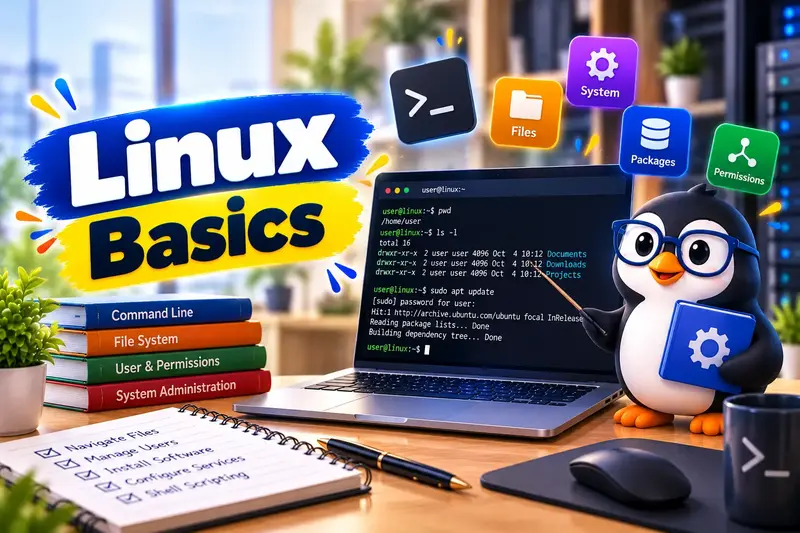
  • The Linux mascot is a penguin called Tux.
Quick facts
OS
Operating system: the main software that runs the computer
Kernel
The core of the OS that controls the hardware
Distro
Linux kernel + tools + desktop + apps, ready to install
GNU
A free software project whose tools are used in most Linux systems

💡 When someone says "I use Linux", they usually mean a distribution such as Ubuntu. When they say "the Linux kernel", they mean only the core.

📝 5-question quiz on this lesson: enrol free to take it and track your score.

2. Open Source and Where Linux Is Used

Linux is open source. Its source code is public, anyone can study it, and anyone can share it. This is one big reason it runs on so many devices.

Open source and free licences

  • Open source means the program's source code is available for anyone to read and change.
  • The Linux kernel uses the GNU General Public License version 2 (GPLv2).
  • Under the GPL you may use, study, change and share the software. If you share a changed version, you must also share its source code.
  • Free here means freedom, not only zero price. Most distros are also free of cost.

Where Linux runs

  • Servers: a large share of the world's websites and web hosting servers run Linux.
  • Cloud: AWS, Google Cloud and Microsoft Azure all offer Linux virtual machines.
  • Phones: Android is built on the Linux kernel.
  • Supercomputers: all the systems in the TOP500 list of the fastest supercomputers run Linux.
  • Devices: many Wi-Fi routers, smart TVs and set-top boxes run Linux inside.

Why learn Linux

  • IT support, web hosting, cloud and DevOps jobs expect basic Linux skills.
  • It is free, so you can practise at home without buying a licence.
  • Old or low-cost computers often run lighter Linux distros well.
Quick facts
Open source
Source code is public and can be changed and shared
GPL
GNU General Public License, the licence of the Linux kernel
Android
Phone OS built on the Linux kernel
Tux
The Linux penguin mascot

💡 Every Android phone in your pocket is already running the Linux kernel. You have used Linux without knowing it.

📝 5-question quiz on this lesson: enrol free to take it and track your score.

3. Linux vs Windows and Popular Distros

Linux feels different from Windows at first. Once you know the main differences, it becomes easy.

Key differences from Windows

  • Drives: Windows uses drive letters like C: and D:. Linux has one single tree that starts at / (called root).
  • Other disks and USB drives appear as folders inside that one tree, not as new letters.
  • Paths use a forward slash: /home/ravi/Documents, not C:\Users\Ravi\Documents.
  • Case sensitivity: Report.txt, report.txt and REPORT.TXT are three different files in Linux.
  • Software: you install apps from the distro's app store or package manager, not by downloading random .exe files.
  • .exe files are Windows programs. They do not run on Linux directly.

Popular distributions

  • Ubuntu: made by Canonical, very popular on desktops and servers. We use Ubuntu in this course.
  • Linux Mint: based on Ubuntu, with a desktop that feels familiar to Windows users.
  • Fedora: a modern distro sponsored by Red Hat, with new software versions.
  • Debian: a large community distro known for stability. Ubuntu itself is based on Debian.

What LTS means

  • LTS means Long Term Support. An LTS version gets security updates for many years.
  • Ubuntu releases a new version every six months, and a new LTS every two years in April.
  • Ubuntu LTS versions get five years of standard security updates. Ubuntu Pro can extend this.
  • Version numbers are year.month: 24.04 means April 2024. Ubuntu 26.04 LTS is the newest LTS.
  • This course uses Ubuntu 24.04 LTS. Almost everything also works the same on 26.04.
Quick facts
/
Root: the top of the Linux file tree
LTS
Long Term Support version
Canonical
The company behind Ubuntu
24.04
Ubuntu version released in April 2024

💡 Beginners should choose an LTS version. It is stable, well tested and has the most help available online.

📝 5-question quiz on this lesson: enrol free to take it and track your score.

Other modules in Linux Basic Course

Trying Linux Safely🔒
Using the Desktop🔒
The Terminal🔒
Files and Folders🔒
Users, Permissions and Software🔒
Useful Command-Line Skills🔒
First Shell Scripts and Next Steps🔒
Final Assessment🔒

Enrol free to access all lessons

Create your account in 30 seconds and start immediately.