













Gemini AI Tools Workshop: 8 Practical Parts
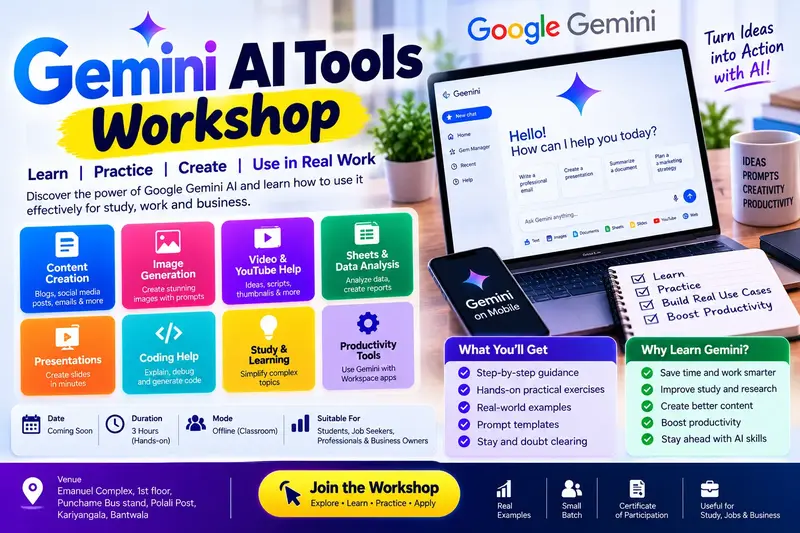
A practical, beginner-friendly workshop for students, job-seekers, office staff and shop owners who want to use Google's Gemini AI tools confidently at work and in daily life. In 8 hands-on parts you will learn to write good prompts, plan projects, research with sources, write emails and reports, create images and posts, analyse data in Google Sheets, and build and share a simple no-code app, all with Indian examples. The course also shows you, step by step, how to enrol in and complete Google's own AI Professional Certificate, and covers the same 8 skill areas so you are well prepared for it. This is an independent course. It is not made, licensed, sponsored or endorsed by Google, and Nishu DigiLearn is not affiliated with Google. Google, Gemini, Gemini Notebook (formerly NotebookLM), Google AI Studio and Google Workspace are trademarks of Google LLC. The Google AI Professional Certificate is earned only by completing Google's own courses.
👨🏫 By Nishu DigiLearn, a Tessovate Technologies initiative
Total including GST • applied automatically at checkout
🎉 Special online price
Already have an account? Sign inWhat you'll learn
Curriculum
10 modules • 27 lessons • 4 weeks
1 Start Here: Preparing for Google's AI Professional Certificate Week 1 • 2 lessons FREE PREVIEW
Understand what the Google AI Professional Certificate is, how to enrol, what it costs, and how this course's 8 parts prepare you for it.
✅ Quiz after each lesson • 📥 PDF notes
Preview this module →2 Part 1: AI Basics and Prompting with Gemini Week 1 • 3 lessons
Understand generative AI, use the Gemini app, write clear prompts, and use AI accurately, fairly and safely.
✅ Quiz after each lesson • 📥 PDF notes
3 Part 2: Brainstorming and Planning Week 1 • 3 lessons
Use Gemini to generate ideas, build project plans and timelines, work inside Google Docs and Sheets, and plan from your own sources with Gemini Notebook.
✅ Quiz after each lesson • 📥 PDF notes
4 Part 3: Research and Insights Week 2 • 3 lessons
Research topics with Gemini Deep Research, study your own sources in Gemini Notebook, verify sources and summarise long reports.
✅ Quiz after each lesson • 📥 PDF notes
5 Part 4: Writing and Communicating Week 2 • 3 lessons
Write clear emails and reports, choose the right tone, use Gemini in Gmail and Docs, translate between English and Kannada carefully, and practise speaking with Gemini Live.
✅ Quiz after each lesson • 📥 PDF notes
6 Part 5: Content Creation Week 3 • 3 lessons
Create images, short videos, slides and social media posts with Gemini tools, and label AI content honestly while respecting copyright.
✅ Quiz after each lesson • 📥 PDF notes
7 Part 6: Data Analysis Week 3 • 3 lessons
Clean and analyse data with Gemini in Google Sheets and the Gemini app, make charts, ask good questions, check numbers and protect customer data.
✅ Quiz after each lesson • 📥 PDF notes
8 Part 7: App Building (No-Code Vibe Coding) Week 4 • 3 lessons
Build simple working apps by describing them in plain language with Google AI Studio's Build mode and Canvas in Gemini, then improve and test them.
✅ Quiz after each lesson • 📥 PDF notes
9 Part 8: App Deployment Week 4 • 3 lessons
Share and publish apps built in Google AI Studio, control costs, keep API keys safe, test with real users and maintain your app responsibly.
✅ Quiz after each lesson • 📥 PDF notes
10 Final Assessment Week 4 • 1 lesson
A timed test covering the whole course. Pass it to complete the course and earn your Nishu DigiLearn certificate.
✅ Quiz after each lesson • 📥 PDF notes
Requirements
- No prior computer knowledge needed
- Open to anyone aged 10 and above
- A phone or computer with internet
🏆 Certificate
Finish all modules and pass each lesson quiz (70%) to earn your unique NDL certificate with QR verification.
📚
Finish lessons
✅
Pass quizzes (70%)
🎓
Get certified
Course FAQ
Is this course good for beginners?
Yes. It starts from the very basics, with practical tasks and a quiz after each lesson.
Will I get a certificate?
Yes. Finish all modules and pass the lesson quizzes (70%) to earn your unique NDL certificate with QR verification.
Can I learn online or at the institute?
Both. Learn from home online or attend at our institute, with the same quality either way.
How do I pay?
Pay securely through Razorpay with UPI, cards or netbanking. The price is ₹999 plus 18% GST, shown at checkout. Use code LAUNCH50 for a discount.
What's included
- ✓10 modules over 4 weeks
- ✓27 video lessons
- ✓Quiz after every lesson
- ✓PDF notes (watermarked with your name)
- ✓Unique NDL certificate with QR
- ✓Attendance & streak tracker
- ✓WhatsApp support
Need help choosing?
Talk to us on WhatsApp for free guidance on the right course.
WhatsApp us📞 +91 76769 02281
Ready to start?
₹999 + GST, lifetime access.
Related courses
AI Tools for Work
8 modules • 4 weeks
🏆 Certificate included
Computer Typing: English and Kannada
9 modules • 6 weeks
🏆 Certificate included

MS Word and PowerPoint for Office
9 modules • 5 weeks
🏆 Certificate included

MS Excel for Jobs
9 modules • 6 weeks
🏆 Certificate included